Our Mevo+ Launch Monitor
 Launch monitors use a variety of technologies, such as cameras or radar, to track a golf ball after being hit to provide data on your shot that can be presented to you in order to help analyze your game, or can be used by software to simulate what your shot would have done in real life on a driving range or golf course.
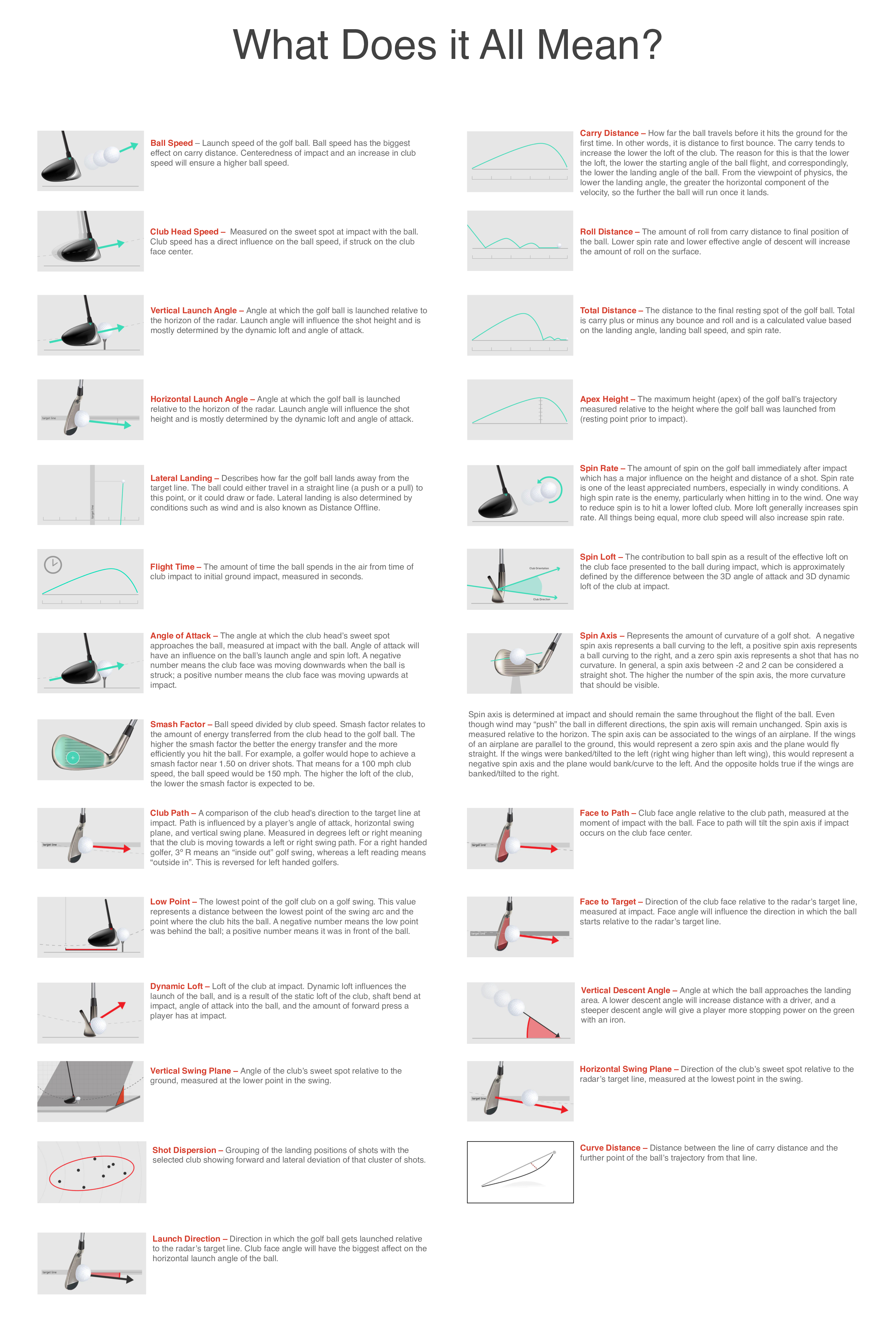
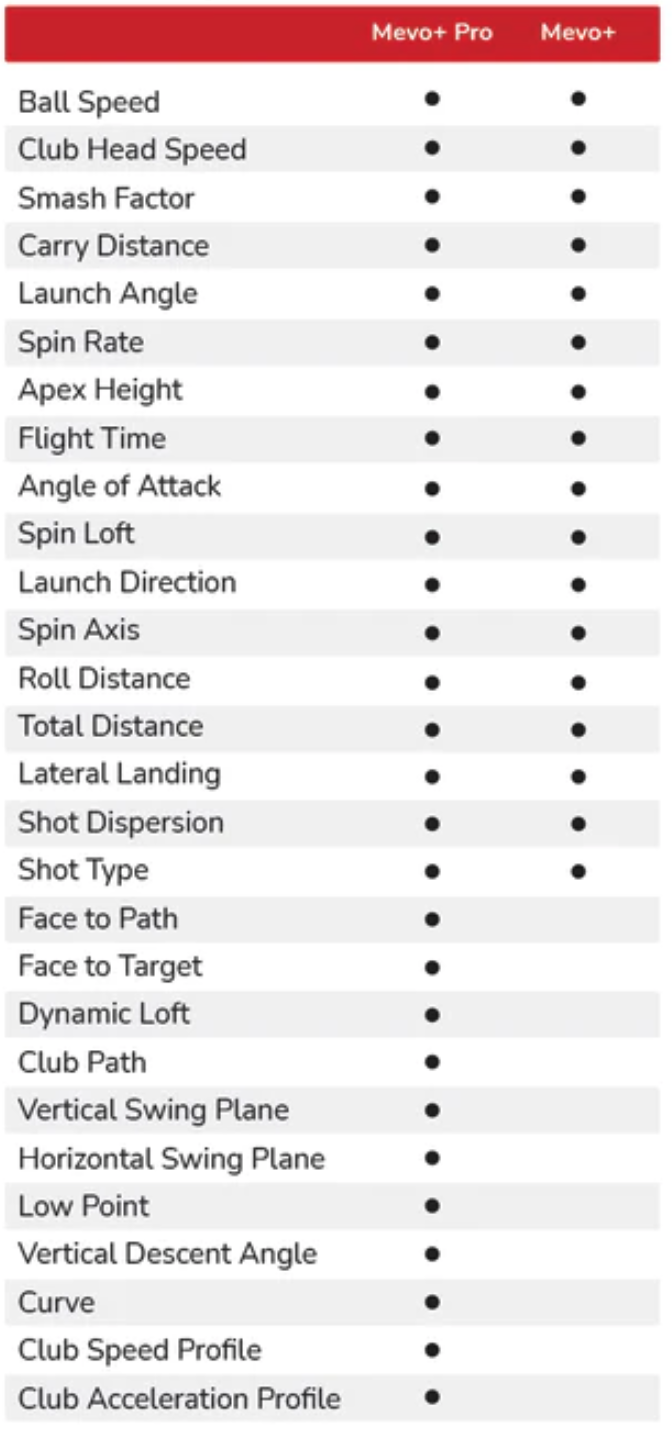
Cottage Street Golf uses the Mevo+ by Flightscope, one of the most exciting new launch monitors on the market. Using radar technology, it’ll track 28 different shot parameters (shown at right) to help you improve your game. Best of all, you hit real golf balls for the most realistic experience possible.
FlightScope is a global high-tech company, originally founded in 1989 to measure projectiles for the defense industry, and a true world leader in the development and manufacturing of 3D Doppler Ball Tracking Monitors, Golf Radars & Launch Monitors for sports.
The bottom line is, they know how to track objects moving at high speed!
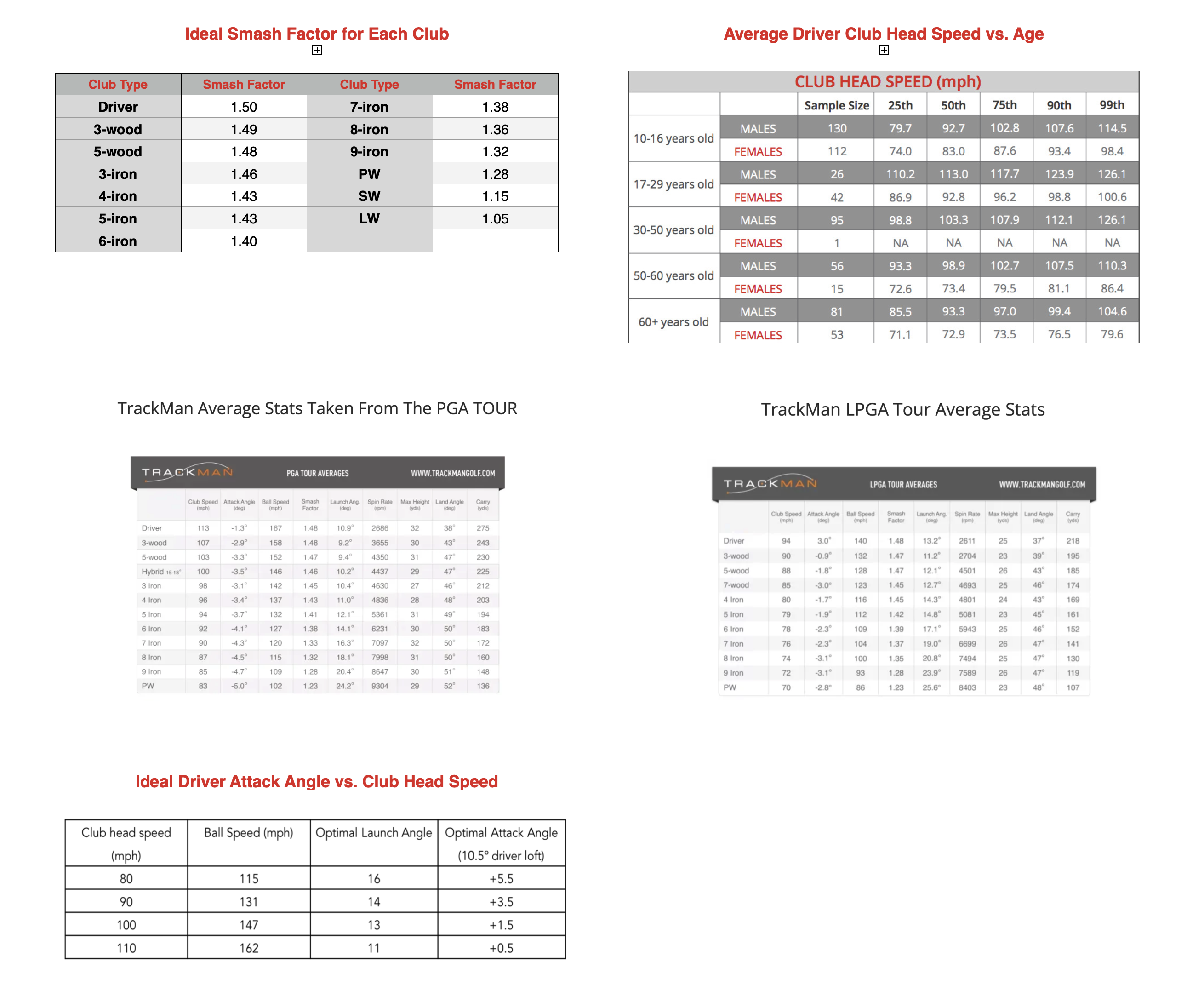
For a more in depth discussion of launch monitors and data parameters, visit FlightScope’s Parameter page, or click here, here, here, and here…
Mevo+ Pro Package – More Data!
We recently upgraded to the Mevo+ Pro Package which unlocks some very useful additional parameters. This package also gives us access to the new FS Golf PC Application from FlightScope which not only allows us to analyze this additional data, but it also enables a dual camera setup for even more in-depth swing analysis. The additional parameters are called D-Plane data and you can see all of the new parameters available on the right. The E6 Golf software that we have been using for playing and practicing only shows a subset of the data parameters, whereas FS Golf allows us to view all of them, not to mention the ability to video your swing; great for all the golf nerds out there!
You must create a FlightScope Cloud account and login, then each session’s data is stored in the cloud for later analysis, including a number of videos. Visit the Advanced Swing Analysis page for more information on how to sign up for a cloud account and how to use the application.
Available Data Parameters
Scroll down for brief descriptions of the data parameters…